STEP 4: Select transaction to pay “Tuition Fees” and click Continue
STEP 5: Enter Payment details:
- PAYMENT AMOUNT
- NAME OF STUDENT
- SCHOOL ID #
- SCHOOL YEAR
- CONTACT NUMBER
- EMAIL ADDRESS
- PAYMENT MODE
OPTION 1 – LANDBANK/OFBANK ATM Account Holder
Account Number:
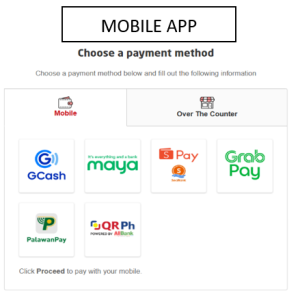
OPTION 2 – CASH PAYMENT OR E-WALLET (GCASH, MAYA, SHOPEEPAY, GRABPAY via MYEG)
- Enter Captcha Challenge and Click Terms and Conditions certification icon
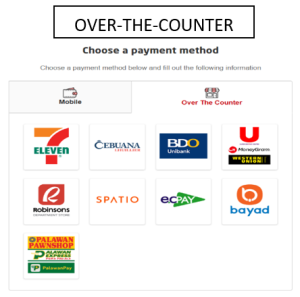
For OPTION 2 – Choose Payment Method (MOBILE OR OVER THE COUNTER)
Click “Proceed” and will direct to your app for payment (MOBILE APP)
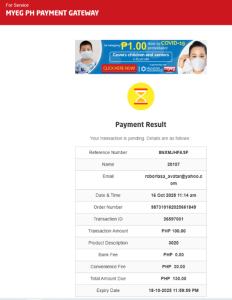
For “OVER THE COUNTER” the system will provide a MYEG Payment Gateway and proceed to nearest payment gateway selected
STEP 6: Screenshot the payment acknowledgement receipt or keep the hard copy of it for future reference
STEP 7: Get the hard copy of “School’s Service Invoice/Official Receipt” at the Cashier Windows 5 or 6